
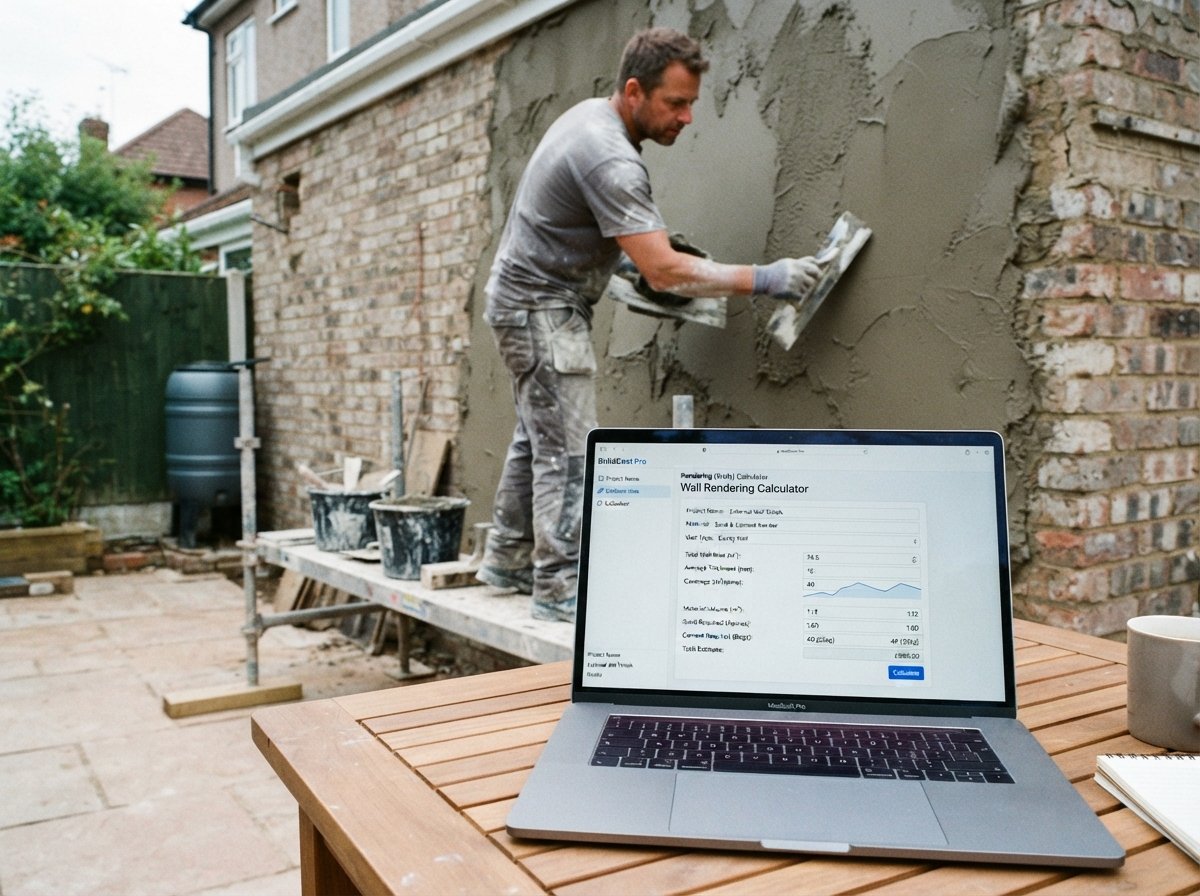
Rendering (Walls) Calculator: Estimate Render, Mesh, and Labour Costs Accurately
External rendering is one of the most effective ways to protect a building’s walls from the weather while improving its appearance. A well-applied render can last for decades, but getting the materials and costs right is essential. Under-ordering causes delays; over-ordering wastes money and creates storage problems. Labour is often the largest cost, and different render systems have different application times. Our Rendering (Walls) Calculator is a free online tool that helps you quickly estimate the total cost of external wall rendering, including render material, alkali-resistant mesh, beads, waterproofer, and labour. It provides a clear breakdown so you can prepare a professional quote or plan your project with confidence.
In this guide, we’ll show you how to use the calculator, explain each cost component, provide real-world examples, and answer common questions. We’ll also share tips to ensure your rendering project stays on budget and achieves a durable, high-quality finish.
Rendering (Walls)
Construction CalculatorExternal render: base coats, material quantity, mesh, beads and cost.
What is the Rendering (Walls) Calculator?
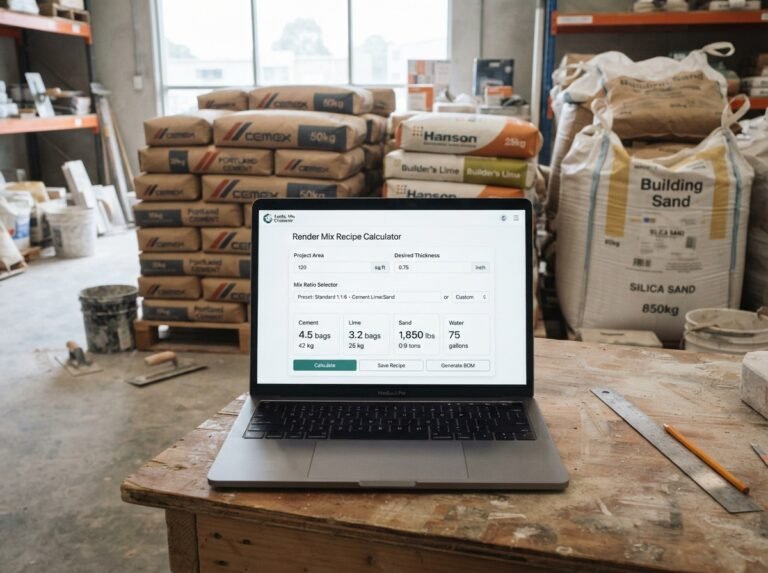
The Rendering (Walls) Calculator is a free online tool that calculates the material quantities and costs for external wall rendering. It supports several render systems: cement:lime:sand, lime render, monocouche, silicone/acrylic thin coat, and scratch coat only. The calculator accounts for wall length, height, openings, render coverage (kg/m²), bag weight, waste allowance, optional alkali-resistant mesh, beads and stop ends, optional integral waterproofer, and local pricing for render bags, mesh, beads, waterproofer, and labour. It provides a clear breakdown of gross and net wall area, render material weight, number of bags, mesh area, and costs for each component. The tool is part of a suite of materials and quantities calculators available on our website. For mixing your own render, you can use our Render Mix Recipe Calculator. For internal plastering, see our Plastering (Walls) Calculator. For textured finishes like pebbledash, try our Pebbledash / Harling Calculator.
How to Use the Rendering (Walls) Calculator
Using the calculator is straightforward. Here’s a breakdown of each field:
1. Wall
- Wall length: Enter the total length of the wall in meters or feet.
- Wall height: Enter the total height of the wall in meters or feet.
- Openings area: Enter the total area of doors and windows in square meters or square feet. This is deducted from the gross area to give the net render area.
2. Render
- Render system: Select the system: Cement : lime : sand, Lime render, Monocouche, Silicone / acrylic thin coat, or Scratch coat only. This is for navigation only; enter the coverage for your chosen system below.
- Render coverage: Enter the kilograms of render material required per square meter of wall. Typical values: 10–20 kg/m² depending on the number of coats and thickness. The default is 14 kg/m².
- Bag weight: Enter the weight of one bag of render material in kg or lb. The default is 25 kg.
- Waste allowance: Enter a percentage for waste. 10% is typical for rendering. The default is 10%.
3. Mesh
- Alkali-resistant mesh: Select Yes to include alkali-resistant mesh, recommended on vulnerable substrates such as mixed masonry, or where movement is expected. Select No otherwise.
- Mesh price per m²: Enter the local price per square meter of mesh. Used only when mesh is selected.
4. Trims
- Beads & stop ends: Enter the total length of beads, bell drips, and stop ends required in meters or feet. Set to 0 if not required.
5. Waterproofer
- Integral waterproofer: Select Yes to include an integral waterproofer in the mix. This is only for cement-based systems. Select No otherwise.
- Waterproofer cost: Enter the total fixed cost of the waterproofer. Used only when selected.
6. Pricing
- Render bag price: Enter the local price per bag of render material.
- Mesh price per m²: Enter the local price per square meter of mesh.
- Bead price per metre: Enter the local price per metre of beads.
- Waterproofer cost: Enter the total fixed cost of the waterproofer.
- Labour price per m²: Enter the local installation rate per square meter.
Once you enter all values, the calculator instantly displays:
- Gross wall area (m²)
- Net render area (m²)
- Render material (kg)
- Bags required
- Mesh area (m²) – if selected
- Render material cost
- Mesh cost (if selected)
- Beads & trims cost
- Waterproofer cost (if selected)
- Labour cost
- Grand total
Understanding the Cost Components
To make the most of the calculator, it’s important to understand each output and the underlying formulas.
- Gross wall area:
length × height. This is the total wall area before deducting openings. - Net render area:
gross area − openings area. This is the area actually rendered. - Net area with waste:
net area × (1 + waste/100). This accounts for material lost during mixing, application, and cleaning. - Render material:
net area with waste × coverage (kg/m²). This is the total mass of render required. - Bags required:
ceil(render material / bag weight). You buy whole bags, so the calculator rounds up. - Render cost:
bags × bag price. - Mesh area:
net area(if mesh selected). Mesh is applied over the whole rendered area to reinforce the render and prevent cracking. - Mesh cost:
mesh area × mesh price per m². - Beads cost:
beads length × bead price per metre. - Waterproofer cost: The fixed cost you enter, applied only if waterproofer is selected.
- Labour cost:
net area × labour price per m² × system multiplier. The system multiplier adjusts for the complexity and speed of different render systems:- Cement : lime : sand: 1.00 (baseline)
- Lime render: 1.20 (slower, more skill required)
- Monocouche: 0.85 (faster, spray-applied)
- Silicone / acrylic thin coat: 1.10 (requires careful application)
- Scratch coat only: 0.70 (single coat, faster)
- Grand total: Sum of render, mesh, beads, waterproofer, and labour costs.
Understanding these components helps you interpret the results and adjust your order. For more information on rendering, you can refer to Wikipedia’s article on render.
Example Calculations
Let’s run through a few examples to see how the calculator works in different scenarios.
Example 1: Cement : Lime : Sand Render, 10 m × 2.5 m Wall, 3 m² Openings
- Wall length: 10 m
- Wall height: 2.5 m
- Openings area: 3 m²
- Render system: Cement : lime : sand
- Render coverage: 14 kg/m²
- Bag weight: 25 kg
- Waste: 10%
- Mesh: No
- Beads & stop ends: 8 m
- Waterproofer: No
- Render bag price: $12
- Bead price: $3/m
- Labour price: $25/m²
Calculations:
- Gross area = 10 × 2.5 = 25 m²
- Net area = 25 − 3 = 22 m²
- Net with waste = 22 × 1.10 = 24.2 m²
- Render material = 24.2 × 14 = 338.8 kg
- Bags = ceil(338.8 / 25) = ceil(13.552) = 14
- Render cost = 14 × $12 = $168
- Bead cost = 8 × $3 = $24
- Labour cost = 22 × $25 × 1.00 = $550
- Total = $168 + $24 + $550 = $742
- Result: Grand total $742
Example 2: Monocouche Render, 12 m × 3 m Wall, 4 m² Openings, with Mesh and Waterproofer
- Wall length: 12 m
- Wall height: 3 m
- Openings area: 4 m²
- Render system: Monocouche
- Render coverage: 16 kg/m²
- Bag weight: 25 kg
- Waste: 8%
- Mesh: Yes
- Mesh price: $4/m²
- Beads & stop ends: 12 m
- Waterproofer: Yes
- Waterproofer cost: $80
- Render bag price: $18
- Bead price: $3.50/m
- Labour price: $30/m²
Calculations:
- Gross area = 12 × 3 = 36 m²
- Net area = 36 − 4 = 32 m²
- Net with waste = 32 × 1.08 = 34.56 m²
- Render material = 34.56 × 16 = 552.96 kg
- Bags = ceil(552.96 / 25) = ceil(22.118) = 23
- Render cost = 23 × $18 = $414
- Mesh cost = 32 × $4 = $128
- Bead cost = 12 × $3.50 = $42
- Waterproofer cost = $80
- Labour cost = 32 × $30 × 0.85 = $816
- Total = $414 + $128 + $42 + $80 + $816 = $1,480
- Result: Grand total $1,480
Example 3: Lime Render, 15 m × 2.8 m Wall, 6 m² Openings, No Mesh
- Wall length: 15 m
- Wall height: 2.8 m
- Openings area: 6 m²
- Render system: Lime render
- Render coverage: 12 kg/m²
- Bag weight: 25 kg
- Waste: 12%
- Mesh: No
- Beads & stop ends: 20 m
- Waterproofer: No (lime is breathable)
- Render bag price: $20
- Bead price: $4/m
- Labour price: $35/m²
Calculations:
- Gross area = 15 × 2.8 = 42 m²
- Net area = 42 − 6 = 36 m²
- Net with waste = 36 × 1.12 = 40.32 m²
- Render material = 40.32 × 12 = 483.84 kg
- Bags = ceil(483.84 / 25) = ceil(19.354) = 20
- Render cost = 20 × $20 = $400
- Bead cost = 20 × $4 = $80
- Labour cost = 36 × $35 × 1.20 = $1,512
- Total = $400 + $80 + $1,512 = $1,992
- Result: Grand total $1,992
These examples show how different render systems, coverages, and add-ons affect the total cost.
Benefits of Using the Rendering (Walls) Calculator
Tips for Accurate Rendering Estimation
- Measure the wall area accurately: Double-check length and height. For irregular walls, divide into rectangles and calculate separately.
- Deduct openings correctly: Subtract the total area of doors and windows to get the net render area.
- Choose the right render system: Cement:lime:sand is traditional and versatile. Lime render is breathable and suitable for older buildings. Monocouche is a through-coloured, one-coat render. Silicone/acrylic thin coats are decorative and weather-resistant. Scratch coat is a base for other finishes.
- Use the correct coverage rate: Coverage depends on the thickness and number of coats. Check the manufacturer’s datasheet. Typical values: 10–20 kg/m².
- Account for beads and stops: Beads are essential at corners, edges, and around openings. Measure the total length required.
- Consider mesh: Alkali-resistant mesh is recommended on vulnerable substrates, such as mixed masonry, or where movement is expected. It helps prevent cracking.
- Consider waterproofer: Integral waterproofer is recommended for cement-based renders on exposed walls. Lime render is naturally breathable and does not require it.
- Allow for waste: 10% is typical, but increase to 15% for complex work or small jobs.
- Use realistic labour rates: Labour rates vary by region and system. Monocouche is faster; lime render is slower. The calculator applies a system multiplier.
- Verify with a professional: For large or complex projects, have a qualified renderer verify the design and quantities.
For more information on rendering techniques, you can refer to resources like Wikipedia’s article on render or guidelines from the Traditional Building Skills.
How to Reduce Rendering Costs
If your estimate is higher than expected, here are ways to reduce costs without compromising quality:
- Choose a faster system: Monocouche is spray-applied and faster than traditional cement:lime:sand. Scratch coat only is the fastest.
- Optimize coverage: Ensure you’re using the correct thickness. Over-thick render wastes material and increases drying time.
- Reduce waste: Mix carefully and apply efficiently. Keep the site clean to avoid material loss.
- Use standard bag sizes: Standard 25 kg bags are often cheaper per kg than smaller bags.
- Do the preparation yourself: Removing old render, fixing beads, and applying mesh can be done by a competent DIYer, saving labour costs.
- Get multiple quotes: Compare renderers for the best price. But never choose solely on price—quality and experience matter.
- Schedule in dry weather: External render requires dry conditions. Scheduling work in a dry period avoids delays and rework.
Frequently Asked Questions (FAQ)
Conclusion
The Rendering (Walls) Calculator is an essential tool for builders, renovators, and homeowners. It helps you estimate the render material, mesh, beads, waterproofer, and labour costs for your external wall rendering project. By following the tips in this article and using the calculator, you can confidently plan your rendering work. Don’t forget to explore our other materials and quantities calculators for all your construction needs.
Whether you’re rendering a small garden wall or a full house facade, accurate material and cost estimation is key to a successful project. Try the Rendering (Walls) Calculator today and take the guesswork out of your render budget.


3 Comments