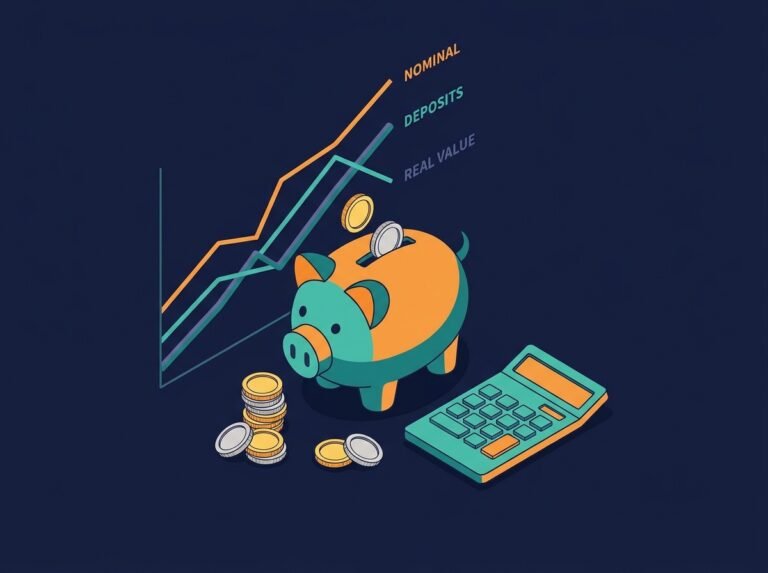

Automatic Savings Plan Calculator: The Ultimate Guide to Building Wealth on Autopilot
Saving money consistently is one of the most challenging tasks in personal finance. Even if you have good intentions, life gets in the way, and you often end up spending what you intended to save. The solution? Automation. By setting up an automatic transfer from your checking account to your savings account on payday, you remove the temptation to spend. But how much should you automate? And how will those automatic contributions grow over time? Our advanced Automatic Savings Plan Calculator answers these questions. It allows you to set a percentage of your income to save, add a fixed monthly contribution, account for compound interest, and even adjust for taxes and inflation. With this free tool, you can visualize exactly how your wealth will build—all while you focus on other things.
Automatic Savings Plan Calculator
The Psychology of Automatic Saving
Behavioral economists have long known that humans are terrible at self-control when it comes to money. The classic solution is to “pay yourself first” — but doing this manually requires willpower. Automation solves this problem. When you set up an automatic transfer, you are effectively “removing” that money from your checking account before you can spend it. You don’t have to decide each month whether to save; it just happens. This “nudging” is so effective that the OECD lists automatic enrollment in savings plans as one of the most powerful tools for improving financial health. The Consumer Financial Protection Bureau also recommends automation to build emergency funds and meet long-term goals.
How Our Advanced Calculator Works
We’ve upgraded this tool to be your complete automatic savings planner:
- Monthly After-Tax Income: The starting point. This is the money you actually receive after taxes.
- Percentage of Income to Save: Decide what % you want to divert to savings (e.g., 20%).
- Additional Fixed Monthly Contribution: Sometimes you have a specific dollar amount you want to save on top of the percentage (e.g., an extra $100/month).
- Current Savings Balance: What you already have.
- Annual Interest Rate: The return on your savings account (e.g., 4% in a high-yield savings account).
- Compounding Frequency: How often interest is calculated and added to your balance (daily, monthly, quarterly, annually).
- Years: How long you plan to save.
- Annual Contribution Growth Rate: If you expect to increase your savings amount each year (e.g., after a raise), enter that here.
- One-Time Bonus: A lump sum you plan to add (e.g., tax refund, bonus).
- Target Amount (NEW): Set a specific financial goal (e.g., $100,000). The calculator tells you how many years it will take to reach it.
- Tax Rate (NEW): Interest earned is taxable. We subtract the tax so you see your net balance.
- Inflation Rate (NEW): The rising cost of living reduces your purchasing power. We show your “real” value in today’s dollars.
The Impact of Compounding
Compound interest is the engine of wealth. When your interest earns its own interest, your savings grow exponentially. Our calculator lets you choose the compounding frequency. Daily compounding yields slightly more than monthly, and monthly more than annually. For example, $10,000 at 4% annual interest compounded monthly will grow to $12,193 in 5 years, while compounded annually it grows to $12,167. This difference might seem small, but for large balances and long timelines, it adds up significantly. The SEC emphasizes that understanding compounding is vital for all investors.
Real-World Example: Sarah’s Automatic Plan
Let’s test the calculator with a realistic scenario.
- Monthly Income: $5,000
- Savings Percentage: 20%
- Additional Fixed Contribution: $100
- Current Savings: $2,000
- Annual Interest Rate: 4.5%
- Compounding Frequency: Monthly
- Years: 10
- Annual Contribution Growth: 3%
- One-Time Bonus: $0
- Target Amount: $50,000
- Tax Rate: 15%
- Inflation Rate: 2.5%
Results:
- Monthly Automatic Savings: ($5,000 × 20%) + $100 = $1,100/month
- Total Contributions: Over 10 years, with 3% growth, you will have contributed $123,000.
- Net Interest Earned: The interest grows to roughly $24,000**, but after 15% tax, it’s about **$20,400.
- Final Balance (nominal): $143,400
- Real Value (after inflation): Only $111,700 in today’s dollars.
- Years to Reach Target ($50,000): The calculator shows you’ll hit this goal in about 3.8 years.
This example shows the power of automation: you don’t have to think about saving, and still, you build a six-figure sum.
The Role of Annual Contribution Growth
Many people increase their savings rate as they get raises. Our calculator’s “Annual Contribution Growth Rate” field models this. If you start with $1,100/month and increase it by 3% each year, your contribution will be $1,474/month by year 10. This extra 3% adds tens of thousands of dollars to your final balance. It’s a realistic way to save more without feeling a massive hit to your take-home pay. NerdWallet highlights that automating increases is a powerful wealth-building strategy.
Why Taxes and Inflation Matter
Taxes and inflation are often ignored in simple calculators, but they significantly impact your real wealth. Interest income is subject to income tax, so the net amount you keep is lower than what you see in your account balance. Inflation erodes purchasing power: $143,400 in 10 years won’t buy what $143,400 buys today. Our calculator adjusts for both, giving you a realistic picture of your financial progress. You can track inflation data via the Bureau of Labor Statistics, which publishes the Consumer Price Index.
How to Build Your Own Automatic Savings Plan
Your Next Steps: Related Tools
Building wealth through automation is just one part of your financial journey. Explore our suite of savings calculators:
- Savings Goal Calculator
- Emergency Fund Calculator
- Compound Savings Calculator
- Savings Rate Calculator