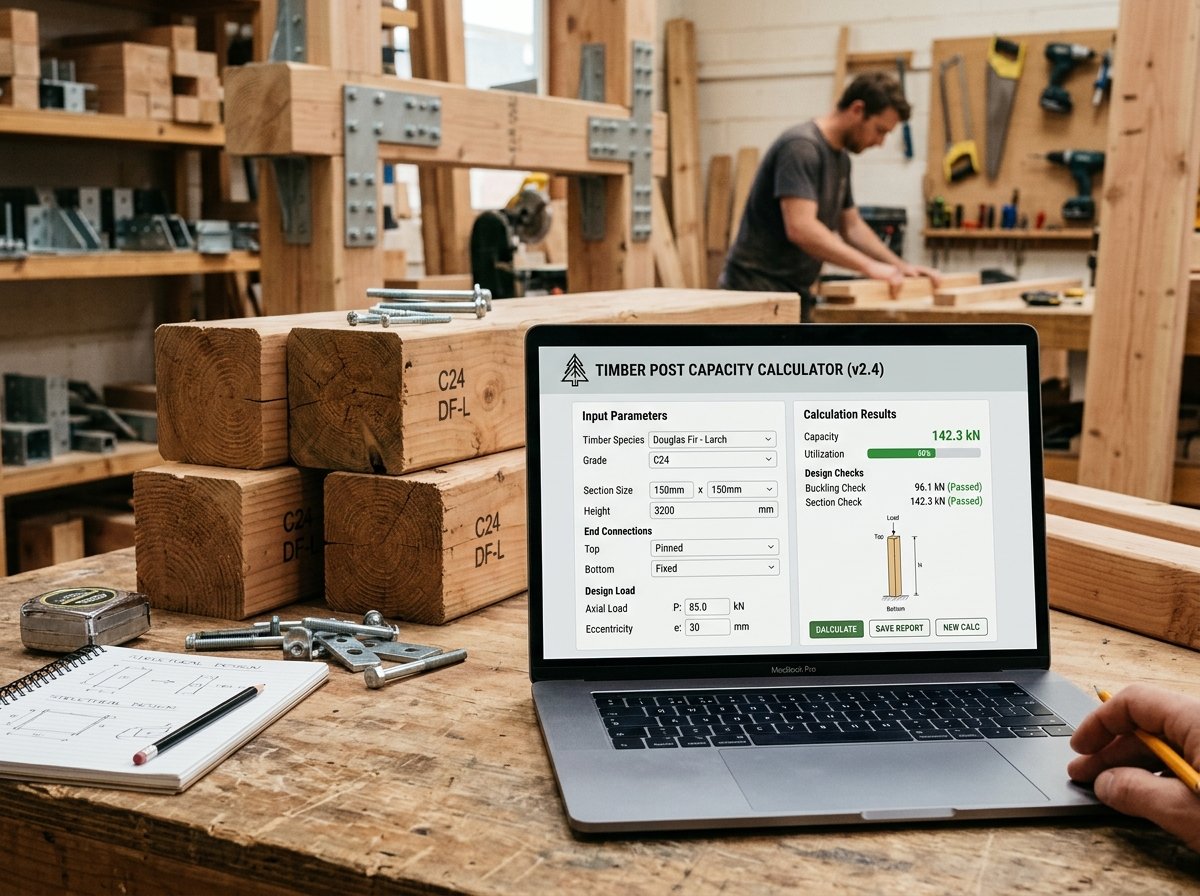
Timber Post Capacity Calculator: Check Buckling and Load Capacity
Timber posts are used in a wide range of structures, from deck supports and pergolas to load-bearing columns in timber-framed buildings. Unlike beams, which resist bending, posts carry axial compression. Their design is governed by two main failure modes: crushing (squash) and buckling. A post that is too small can buckle suddenly, leading to collapse. A post that is too large wastes material and money. Our Timber Post Capacity Calculator is a free online tool that helps you quickly determine the Euler buckling load, squash load, governing capacity, slenderness ratio, and utilisation for timber posts of various grades and service classes.
In this guide, we’ll show you how to use the calculator, explain the calculations, provide real-world examples, and answer common questions. We’ll also share tips to ensure your timber post design is safe and efficient.
Timber Post Capacity
Construction CalculatorTimber post capacity: buckling check, slenderness, utilisation and cost.
What is the Timber Post Capacity Calculator?
The Timber Post Capacity Calculator is a free online tool that calculates the axial load capacity of a timber post based on its length, cross-section, end conditions, timber grade, service class, and applied load. It supports standard sizes (47×75, 47×100, 75×75, 100×100, 150×150 mm) as well as custom dimensions. End conditions include pinned-pinned, fixed-fixed, fixed-pinned, and cantilever. Timber grades include C16, C24, C30, D30 hardwood, Glulam GL24, and LVL. Service classes account for moisture effects on compressive strength. The calculator provides a clear breakdown of effective length factor K, cross-sectional area, radius of gyration, slenderness ratio, buckling reduction factor, Euler critical load, squash load, design capacity, applied load, utilisation, and a pass/fail status. It also estimates timber volume, mass, and costs. The tool is part of a suite of structural calculators available on our website. For related calculations, you can use our Column Axial Load Calculator, Beam Bending Moment Calculator, Floor Joist Sizing Calculator, and Steel Beam (UB) Selection Calculator.
How to Use the Timber Post Capacity Calculator
Using the calculator is straightforward. Here’s a breakdown of each field:
1. Post
- Post length: Enter the actual unsupported length of the post in meters or feet. This is the distance between lateral supports.
- Post width: Select the cross-section from the dropdown: 47×75 mm, 47×100 mm, 75×75 mm, 100×100 mm, 150×150 mm, or Custom.
- Custom width: If you selected “Custom”, enter the width in meters or inches. For example, 0.1 m = 100 mm.
- Custom depth: If you selected “Custom”, enter the depth in meters or inches.
2. Support
- End conditions: Select the end conditions from the dropdown: Pinned–pinned (K = 1.0), Fixed–fixed (K = 0.5), Fixed–pinned (K = 0.7), or Cantilever (K = 2.0). The K factor multiplies the physical length to give the effective length used in the Euler calculation.
3. Timber
- Timber grade: Select the timber grade: C16 (E = 8 GPa, fc = 17 N/mm²), C24 (E = 11 GPa, fc = 21 N/mm²), C30 (E = 12 GPa, fc = 23 N/mm²), D30 hardwood (E = 10 GPa, fc = 23 N/mm²), Glulam GL24 (E = 11 GPa, fc = 24 N/mm²), or LVL (E = 13 GPa, fc = 28 N/mm²). The modulus of elasticity E and compressive strength fc are used in the calculations.
4. Service class
- Service class: Select the service class: Service class 1 (dry, heated interior), Service class 2 (humid, covered exterior), or Service class 3 (wet / fully exposed). This applies a factor to the compressive strength: SC1 = 1.00, SC2 = 0.90, SC3 = 0.80. Higher moisture content reduces strength.
5. Load
- Applied axial load: Enter the applied axial load in kN. Set to 0 to skip the utilisation check and only see the capacity.
6. Costs
- Timber price per m³: Enter the local price per cubic meter of timber. Leave 0 to skip.
- Installation per post: Enter the local installation cost per post. Leave 0 to skip.
- Number of posts: Enter the number of posts. The calculator multiplies the timber volume and labour cost by this count.
Once you enter all values, the calculator instantly displays:
- Effective length factor K
- Cross-section area (mm²)
- Radius of gyration (weak axis, mm)
- Slenderness ratio
- Buckling reduction factor
- Euler critical load (kN)
- Squash load (kN)
- Design capacity (kN)
- Applied load (kN) – if entered
- Utilisation (%)
- Status (Post OK or Post overloaded)
- Total timber volume (m³)
- Timber mass (kg)
- Timber cost, installation cost, and grand total (if costs entered)
Understanding the Cost Components
To make the most of the calculator, it’s important to understand each output and the underlying formulas.
- Effective length factor K: A coefficient that depends on the end conditions. It accounts for the fact that a post’s buckling length differs from its physical length. Values: pinned-pinned 1.0, fixed-fixed 0.5, fixed-pinned 0.7, cantilever 2.0.
- Effective length (L_eff): The length used in the Euler buckling formula:
L_eff = K × L, where L is the physical length entered. - Cross-section area (A):
A = b × d, where b is width and d is depth. It is used to calculate the squash load. - Moment of inertia (I): For a rectangular section,
I_x = b × d³ / 12andI_y = d × b³ / 12. The calculator uses the smaller of the two (weak axis) because buckling occurs about the weak axis. - Radius of gyration (r):
r = √(I / A). It represents how far the material is distributed from the centroid. A larger r means a more efficient post. - Slenderness ratio (λ):
λ = L_eff / r. It indicates how prone the post is to buckling. Higher values mean more slender and more likely to buckle elastically. - Euler critical load (P_cr): The load at which elastic buckling occurs:
P_cr = π² E I / L_eff². It depends on the material’s modulus of elasticity E, the moment of inertia I, and the effective length. - Squash load (P_squash): The load at which the material yields or crushes:
P_squash = A × fc_eff, wherefc_effis the compressive strength adjusted for service class. - Design capacity (P_governing): The smaller of P_cr and P_squash. This is a conservative approach for preliminary design. In practice, timber design codes use interaction formulas and buckling factors, but for quick sizing, the minimum is safe.
- Buckling reduction factor: The ratio
P_governing / P_squash, showing how much the squash load is reduced by buckling. - Utilisation:
applied load / design capacity. If ≤ 1.0, the post is adequate (Post OK). If > 1.0, it is overloaded. - Volume and mass: Volume =
b × d × L × count. Mass = volume × 500 kg/m³ (typical softwood density). - Costs: Timber cost = volume × price per m³. Installation cost = count × installation per post. Grand total is the sum.
Understanding these components helps you interpret the results and adjust your design. For more information on timber column design, you can refer to Wikipedia’s article on buckling.
Example Calculations
Let’s run through a few examples to see how the calculator works in different scenarios.
Example 1: C24 Post, 100×100 mm, 2.4 m, Pinned-Pinned
- Post length: 2.4 m
- Post width: 100×100 mm
- End conditions: Pinned–pinned (K = 1.0)
- Timber grade: C24 (E = 11 GPa, fc = 21 N/mm²)
- Service class: SC1 (dry interior, factor 1.00)
- Applied load: 30 kN
- Timber price: $800/m³
- Installation: $20 per post
- Number of posts: 1
Calculations:
- K = 1.0
- L_eff = 2400 × 1.0 = 2400 mm
- A = 100 × 100 = 10,000 mm²
- I_weak = 100 × 100³ / 12 = 8,333,333 mm⁴
- r = √(8,333,333 / 10,000) = 28.87 mm
- Slenderness = 2400 / 28.87 = 83.1
- P_cr = π² × 11,000 × 8,333,333 / 2400² = 157,000 N ≈ 157 kN
- fc_eff = 21 × 1.00 = 21 N/mm²
- P_squash = 10,000 × 21 = 210,000 N = 210 kN
- P_governing = min(157, 210) = 157 kN
- k_buckling = 157 / 210 = 0.748
- Utilisation = 30 / 157 = 19.1% → Post OK
- Volume = 0.1 × 0.1 × 2.4 = 0.024 m³
- Mass = 0.024 × 500 = 12 kg
- Timber cost = 0.024 × $800 = $19.20
- Installation = $20
- Total = $39.20
- Result: Design capacity 157 kN, OK, total $39.20
Example 2: C16 Post, 150×150 mm, 3.0 m, Fixed-Pinned, Service Class 2
- Post length: 3.0 m
- Post width: 150×150 mm
- End conditions: Fixed–pinned (K = 0.7)
- Timber grade: C16 (E = 8 GPa, fc = 17 N/mm²)
- Service class: SC2 (humid, factor 0.90)
- Applied load: 50 kN
- Timber price: $600/m³
- Installation: $30 per post
- Number of posts: 2
Calculations:
- K = 0.7
- L_eff = 3000 × 0.7 = 2100 mm
- A = 150 × 150 = 22,500 mm²
- I_weak = 150 × 150³ / 12 = 42,187,500 mm⁴
- r = √(42,187,500 / 22,500) = 43.30 mm
- Slenderness = 2100 / 43.30 = 48.5
- P_cr = π² × 8,000 × 42,187,500 / 2100² = 754,000 N ≈ 754 kN
- fc_eff = 17 × 0.90 = 15.3 N/mm²
- P_squash = 22,500 × 15.3 = 344,250 N = 344 kN
- P_governing = min(754, 344) = 344 kN
- k_buckling = 344 / 344 = 1.0 (buckling not governing)
- Utilisation = 50 / 344 = 14.5% → Post OK
- Volume per post = 0.15 × 0.15 × 3.0 = 0.0675 m³
- Total volume = 0.0675 × 2 = 0.135 m³
- Mass = 0.135 × 500 = 67.5 kg
- Timber cost = 0.135 × $600 = $81
- Installation = 2 × $30 = $60
- Total = $141
- Result: Design capacity 344 kN, OK, total $141
Example 3: LVL Post, Custom 200×200 mm, 4.0 m, Cantilever
- Post length: 4.0 m
- Custom width: 0.200 m (200 mm)
- Custom depth: 0.200 m (200 mm)
- End conditions: Cantilever (K = 2.0)
- Timber grade: LVL (E = 13 GPa, fc = 28 N/mm²)
- Service class: SC3 (wet, factor 0.80)
- Applied load: 40 kN
- Timber price: $1200/m³
- Installation: $50 per post
- Number of posts: 1
Calculations:
- K = 2.0
- L_eff = 4000 × 2.0 = 8000 mm
- A = 200 × 200 = 40,000 mm²
- I_weak = 200 × 200³ / 12 = 133,333,333 mm⁴
- r = √(133,333,333 / 40,000) = 57.74 mm
- Slenderness = 8000 / 57.74 = 138.6
- P_cr = π² × 13,000 × 133,333,333 / 8000² = 267,000 N ≈ 267 kN
- fc_eff = 28 × 0.80 = 22.4 N/mm²
- P_squash = 40,000 × 22.4 = 896,000 N = 896 kN
- P_governing = min(267, 896) = 267 kN
- k_buckling = 267 / 896 = 0.298
- Utilisation = 40 / 267 = 15.0% → Post OK
- Volume = 0.2 × 0.2 × 4.0 = 0.16 m³
- Mass = 0.16 × 500 = 80 kg
- Timber cost = 0.16 × $1200 = $192
- Installation = $50
- Total = $242
- Result: Design capacity 267 kN, OK, total $242
These examples show how different timber grades, sizes, end conditions, and service classes affect the post capacity.
Benefits of Using the Timber Post Capacity Calculator
Tips for Accurate Timber Post Capacity Analysis
- Enter the physical length, not the effective length: The calculator automatically applies the K factor from the end conditions. If you have already multiplied by K, divide by K before entering, or select K = 1.0 (pinned-pinned).
- Choose the correct end conditions: End conditions depend on how the post is connected. Pinned-pinned is common for simple connections. Fixed-fixed is for rigid connections. Fixed-pinned is a combination. Cantilever is for free-standing posts. If unsure, use pinned-pinned (K = 1.0) as a conservative default.
- Select the right timber grade: C24 is the most common grade for structural timber. Higher grades like C30 or LVL are stronger and stiffer but more expensive. Use the grade specified by your engineer.
- Account for service class: Moisture reduces timber strength. Service class 1 is for dry interiors, class 2 for humid covered exteriors, class 3 for fully exposed wet conditions. The calculator applies a factor to the compressive strength.
- Check both axes: The calculator uses the weak axis for buckling. If your post is restrained about one axis, you may need to check the other axis separately.
- Apply safety factors: The calculator gives ultimate capacity. Design codes require safety factors (e.g., 1.5–2.0 for timber). Always apply the appropriate factor of safety.
- Consider eccentricity: The calculator assumes pure axial load. In reality, loads may be eccentric, causing bending. For eccentric loads, use a beam-column interaction formula.
- Verify with a professional: For any structural work, have a qualified engineer verify your calculations and ensure compliance with local building codes.
For more information on timber design, you can refer to resources like Wikipedia’s article on timber framing or guidelines from the Timber Research and Development Association.
How to Increase Timber Post Capacity
If your post is overloaded, here are ways to increase its capacity:
- Increase cross-section dimensions: A larger area increases squash load and moment of inertia, boosting both buckling and yielding capacity.
- Reduce effective length: Adding lateral bracing or changing end conditions reduces K, which increases the Euler critical load.
- Use a stronger timber grade: Higher grades have higher E and fc, increasing both buckling and squash loads.
- Change the section shape: A square section is more efficient than a rectangular one for buckling. For very high loads, consider glulam or LVL.
- Add intermediate supports: Reducing the unbraced length directly reduces slenderness and increases capacity.
- Use composite construction: Combining timber with steel or concrete can significantly increase capacity.
Frequently Asked Questions (FAQ)
Conclusion
The Timber Post Capacity Calculator is an essential tool for builders, architects, engineers, and DIY enthusiasts. It helps you quickly determine buckling and squash capacities, slenderness ratios, and utilisation for common timber post configurations. By following the tips in this article and using the calculator, you can confidently analyze your timber posts. Don’t forget to explore our other structural calculators for all your design needs.
Whether you’re building a deck, a pergola, or a timber-framed house, accurate post capacity analysis is key to a safe and efficient structure. Try the Timber Post Capacity Calculator today and take the guesswork out of your structural calculations.