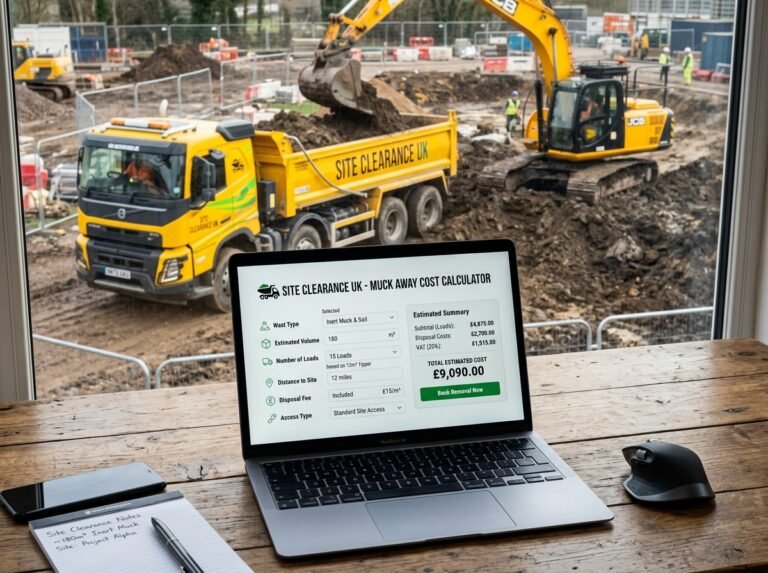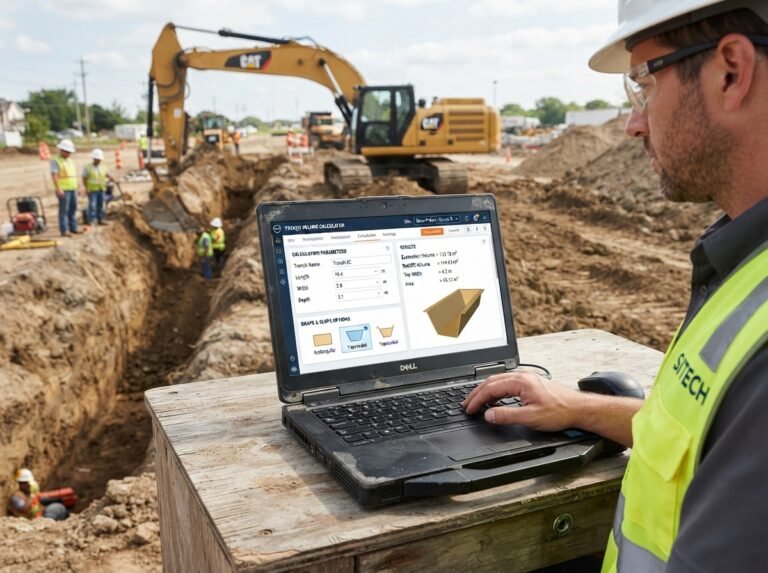

Tipper Truck Hire Calculator: Estimate Hire Costs and Trips Accurately
Moving materials like aggregate, topsoil, sand, spoil, or rubble is a common task on any construction or landscaping project. Whether you’re importing fresh aggregate or removing excavated spoil, hiring a tipper truck is often the most efficient solution. But how many trips will you need? How many hours or days will it take? And what will it cost? Our Tipper Truck Hire Calculator is a free online tool that helps you estimate trips, working hours, required days, and total hire cost based on your material, volume, tipper size, and pricing basis.
In this guide, we’ll show you how to use the calculator, explain each cost component, provide real-world examples, and answer common questions. We’ll also share tips to keep your tipper hire costs under control.
Tipper Truck Hire
Construction CalculatorTipper hire: volume to move, trips, hours, hire days and total cost.
What is the Tipper Truck Hire Calculator?
The Tipper Truck Hire Calculator is a free online tool that calculates the number of trips, total working hours, required days, and total cost for hiring a tipper truck. It accounts for the material type, volume to move, bulking factor, tipper body volume and payload, trip cycle time, working hours per day, material density, hire basis (hourly, daily, or per trip), fuel charges, and multi-day hire. The calculator is part of a suite of earthworks and hauling calculators available on our website. For related calculations, you can use our Skip Hire Sizing Calculator, Muck Away Cost Calculator, and Grab Lorry Sizing Calculator.
How to Use the Tipper Truck Hire Calculator
Using the calculator is straightforward. Here’s a breakdown of each field:
1. Material
- Material: Select the material you’re moving: Aggregate (loose), Topsoil, Sand, Ballast, Spoil (excavated), Rubble, or Hardcore. This is informational—it reminds you to enter the correct bulking factor and density.
2. Volume
- Volume input: Choose whether to enter the volume directly or estimate it from area. Select “Direct volume” if you already know the volume in cubic meters. Select “Estimate from area” if you know the area and depth.
- Volume to move: Enter the volume in cubic meters or cubic yards. Used only when “Direct volume” is selected.
- Area: Enter the area in square meters or square feet. Used only when “Estimate from area” is selected.
- Depth: Enter the depth in meters or inches. Used only when “Estimate from area” is selected.
- Bulking factor: Enter the factor that converts in-place volume to loose volume. Set to 1.00 for delivered aggregate. Use 1.20–1.35 for excavated spoil or rubble. The default is 1.00.
3. Tipper
- Tipper size: Select the tipper size: Small (3 m³ body, 3.5 t payload), Medium (6 m³ body, 7.5 t payload), Large (10 m³ body, 18 t payload), Articulated (20 m³ body, 32 t payload), or Custom. The calculator uses these physical specifications to determine trips by volume and weight.
- Custom tipper body volume: If you selected “Custom”, enter the body volume in cubic meters or cubic yards.
- Custom tipper payload: If you selected “Custom”, enter the payload in tonnes.
4. Operation
- Trip cycle time: Enter the total time for one trip (load + travel + tip + return) in hours. The default is 0.8 hours.
- Working hours per day: Enter the number of working hours per day. The default is 8 hours.
- Material density (loose): Enter the loose density of the material in kg/m³. Typical values: aggregate ~1500, topsoil ~1300, rubble ~1600, spoil ~1600 kg/m³. This is used to check the tipper’s payload limit.
5. Pricing
- Hire basis: Select Hourly, Daily, or Per trip. Only the selected pricing basis is used.
- Hourly rate: Enter the local hourly hire rate. Used only when “Hourly” is selected.
- Daily rate: Enter the local daily hire rate. Used only when “Daily” is selected.
- Price per trip: Enter the local price per trip. Used only when “Per trip” is selected.
6. Extras
- Fuel: Select Included in rate or Billed separately. If billed separately, enter the fuel cost per day.
- Fuel cost per day: Enter the local fuel cost per day. Used only when “Billed separately” is selected.
- Number of days: Enter the number of days for multi-day hire. The calculator uses the greater of estimated working days and entered days.
Once you enter all values, the calculator instantly displays:
- Volume to move
- Loose volume
- Total mass (if density is entered)
- Tipper body volume
- Tipper payload
- Trips by volume
- Trips by weight (if density and payload are available)
- Governing trips
- Total working hours
- Required days
- Hire cost
- Fuel cost (if applicable)
- Grand total
- Cost per m³
Understanding the Cost Components
To make the most of the calculator, it’s important to understand each component.
- Volume to move: The in-situ volume of material before bulking. It’s calculated as
area × depthif estimating from area, or taken directly from the direct volume input. - Loose volume: When material is excavated or loaded, it expands. The loose volume is
volume to move × bulking factor. For delivered aggregate, the bulking factor is usually 1.00. - Total mass: The weight of the loose material, calculated as
loose volume × density / 1000in tonnes. It’s used to check the tipper’s payload limit. - Tipper body volume: The volume capacity of the tipper body in cubic meters. The calculator uses typical values for small, medium, large, and articulated tippers.
- Tipper payload: The legal payload of the tipper in tonnes. This limits how much weight the tipper can carry per trip.
- Trips by volume:
ceil(loose volume / tipper body volume). This assumes the tipper is filled to its body volume. - Trips by weight:
ceil(total mass / tipper payload). This assumes the tipper is loaded to its legal payload. The calculator uses the higher of trips by volume and trips by weight as the governing trips, ensuring the tipper is never overloaded. - Total working hours:
governing trips × trip cycle time. This is the total machine time required. - Required days:
ceil(total working hours / working hours per day). This tells you how many working days are needed. - Billable days: The greater of required days and the number of days you enter for multi-day hire. This ensures you’re charged for the full hire period.
- Hire cost: Depends on the selected hire basis:
- Hourly:
total working hours × hourly rate - Daily:
billable days × daily rate - Per trip:
governing trips × price per trip
- Hourly:
- Fuel cost: If fuel is billed separately,
billable days × fuel cost per day. - Grand total: Hire cost + fuel cost.
- Cost per m³:
total cost / volume to move. This helps you compare the cost of tipper hire with other hauling methods.
Understanding these components helps you choose the right tipper size, estimate trips accurately, and negotiate with hire companies. For more information on tipper trucks, you can refer to Wikipedia’s article on dump trucks.
Example Calculations
Let’s run through a few examples to see how the calculator works in different scenarios.
Example 1: Moving Aggregate with a Medium Tipper, Daily Hire
- Material: Aggregate (loose)
- Volume input: Direct volume
- Volume to move: 30 m³
- Bulking factor: 1.00
- Tipper size: Medium (6 m³ body, 7.5 t payload)
- Trip cycle time: 0.8 h
- Working hours per day: 8 h
- Material density: 1500 kg/m³
- Hire basis: Daily
- Daily rate: $400
- Fuel: Included
- Number of days: 1
Calculations:
- Volume to move: 30 m³
- Loose volume: 30 × 1.00 = 30 m³
- Total mass: 30 × 1500 / 1000 = 45 t
- Tipper body volume: 6 m³
- Tipper payload: 7.5 t
- Trips by volume: ceil(30 / 6) = 5
- Trips by weight: ceil(45 / 7.5) = 6
- Governing trips: max(5, 6) = 6
- Total working hours: 6 × 0.8 = 4.8 h
- Required days: ceil(4.8 / 8) = 1
- Billable days: max(1, 1) = 1
- Hire cost: 1 × $400 = $400
- Fuel cost: $0
- Grand total: $400
- Cost per m³: $400 / 30 = $13.33
Example 2: Removing Spoil with a Large Tipper, Hourly Hire and Extra Fuel
- Material: Spoil (excavated)
- Volume input: Estimate from area
- Area: 100 m²
- Depth: 0.150 m
- Bulking factor: 1.25
- Tipper size: Large (10 m³ body, 18 t payload)
- Trip cycle time: 1.0 h
- Working hours per day: 8 h
- Material density: 1600 kg/m³
- Hire basis: Hourly
- Hourly rate: $80
- Fuel: Billed separately
- Fuel cost per day: $120
- Number of days: 1
Calculations:
- Volume to move: 100 × 0.150 = 15 m³
- Loose volume: 15 × 1.25 = 18.75 m³
- Total mass: 18.75 × 1600 / 1000 = 30 t
- Tipper body volume: 10 m³
- Tipper payload: 18 t
- Trips by volume: ceil(18.75 / 10) = 2
- Trips by weight: ceil(30 / 18) = 2
- Governing trips: max(2, 2) = 2
- Total working hours: 2 × 1.0 = 2 h
- Required days: ceil(2 / 8) = 1
- Billable days: max(1, 1) = 1
- Hire cost: 2 × $80 = $160
- Fuel cost: 1 × $120 = $120
- Grand total: $280
- Cost per m³: $280 / 15 = $18.67
Example 3: Moving Rubble with an Articulated Tipper, Per Trip Pricing
- Material: Rubble
- Volume input: Direct volume
- Volume to move: 80 m³
- Bulking factor: 1.30
- Tipper size: Articulated (20 m³ body, 32 t payload)
- Trip cycle time: 1.2 h
- Working hours per day: 10 h
- Material density: 1600 kg/m³
- Hire basis: Per trip
- Price per trip: $250
- Fuel: Included
- Number of days: 2
Calculations:
- Volume to move: 80 m³
- Loose volume: 80 × 1.30 = 104 m³
- Total mass: 104 × 1600 / 1000 = 166.4 t
- Tipper body volume: 20 m³
- Tipper payload: 32 t
- Trips by volume: ceil(104 / 20) = 6
- Trips by weight: ceil(166.4 / 32) = 6
- Governing trips: max(6, 6) = 6
- Total working hours: 6 × 1.2 = 7.2 h
- Required days: ceil(7.2 / 10) = 1
- Billable days: max(1, 2) = 2 (user entered 2 days)
- Hire cost: 6 × $250 = $1,500 (per trip pricing ignores billable days)
- Fuel cost: $0
- Grand total: $1,500
- Cost per m³: $1,500 / 80 = $18.75
Note: For per-trip pricing, the billable days are not used for cost, but they are still displayed for reference.
These examples show how different materials, tipper sizes, and pricing bases affect the total cost.
Benefits of Using the Tipper Truck Hire Calculator
Tips for Accurate Tipper Hire Estimation
- Measure the volume accurately: For irregular stockpiles, measure the base area and average height. For excavated material, use the in-situ volume from your excavation plans.
- Choose the right bulking factor: Delivered aggregate has a bulking factor of 1.00. Excavated spoil bulks 1.20–1.35 depending on soil type. Rubble bulks around 1.30–1.40.
- Know your material density: Density determines whether the tipper cubes out or weighs out. Typical loose densities: aggregate 1500, topsoil 1300, rubble 1600, spoil 1600 kg/m³.
- Select the right tipper size: Smaller tippers are suitable for tight access; larger tippers are more efficient for bulk volume. The calculator uses both body volume and payload to determine trips.
- Use realistic trip cycle times: Cycle time includes loading, travel, tipping, and return. For long hauls, cycle time can be 1.5–2 hours or more.
- Consider working hours: Actual working hours may be less than a full shift due to breaks, refuelling, and site delays. Use a realistic number.
- Check the hire basis: Hourly, daily, and per-trip pricing can produce very different totals. Use the basis that matches your local market and project duration.
- Account for fuel: If fuel is not included in the hire rate, add the daily fuel cost. Fuel consumption depends on the tipper size and travel distance.
- Add a margin: Volumes are estimates. Adding an extra trip or a small contingency prevents return trips and delays.
For more information on tipper trucks and haulage, you can refer to resources like Wikipedia’s article on dump trucks or guidelines from the National Asphalt Pavement Association.
How to Reduce Tipper Hire Costs
If your estimate is higher than expected, here are some ways to reduce costs:
- Optimize loads: Ensure the tipper is loaded to its legal capacity without overloading. This minimizes trips.
- Choose the right tipper size: Larger tippers are more efficient per m³, but only if access allows.
- Reduce travel distance: The shorter the trip cycle, the more trips per hour and the lower the cost.
- Combine materials: If you need to move multiple materials, plan the logistics to minimize empty return trips.
- Schedule efficiently: Combine haulage with other site work to reduce idle time.
- Negotiate rates: For multiple days or large volumes, ask for a discount.
- Consider on-site storage: If you can’t use material immediately, stockpile it on site to reduce hauling.
- Avoid peak traffic: Schedule trips outside rush hour to reduce cycle times.
Frequently Asked Questions (FAQ)
Conclusion
The Tipper Truck Hire Calculator is an essential tool for anyone planning to move materials on a construction or landscaping project. It helps you estimate trips, hours, days, and costs accurately, so you can order the right tipper, manage logistics, and stay on budget. By following the tips in this article and using the calculator, you can confidently plan your tipper hire. Don’t forget to explore our other hauling calculators for all your sitework needs.
Whether you’re importing aggregate or removing spoil, accurate tipper hire estimation is key to a successful project. Try the Tipper Truck Hire Calculator today and take the guesswork out of your haulage budget.